Copy guard
Starting with the Foujita exhibition I introduced the other day, image lending for large art exhibitions has increasingly come to be very strictly restricted.
Beyond, of course, showing consideration to artists and the rights holders of works, regarding “copy control”—which has come to be written even into the conditions for image lending—this site「art on」 has now also formally introduced content copy protection.
This time, rather than for art fans, I’ve put together an article for those who, like me, run a site, regardless of the genre they handle.
Also, when requesting image lending from rights holders or agents, I hope they’ll read this article and feel reassured.
WP Content Copy Protection
This site “art on” is a website built based on WordPress, and it’s structured so that you can easily expand your own site’s features each time via optional devices called “plugins.”
Regarding this copy-control feature, the plugin we introduced on this site is this.
How to install and use it, including installation, is super easy!
From the WordPress admin screen, go to “Plugins” → “Add New,” search “WP Content Copy Protection” in the search box, and click “Install Now” → “Activate” for the relevant plugin.
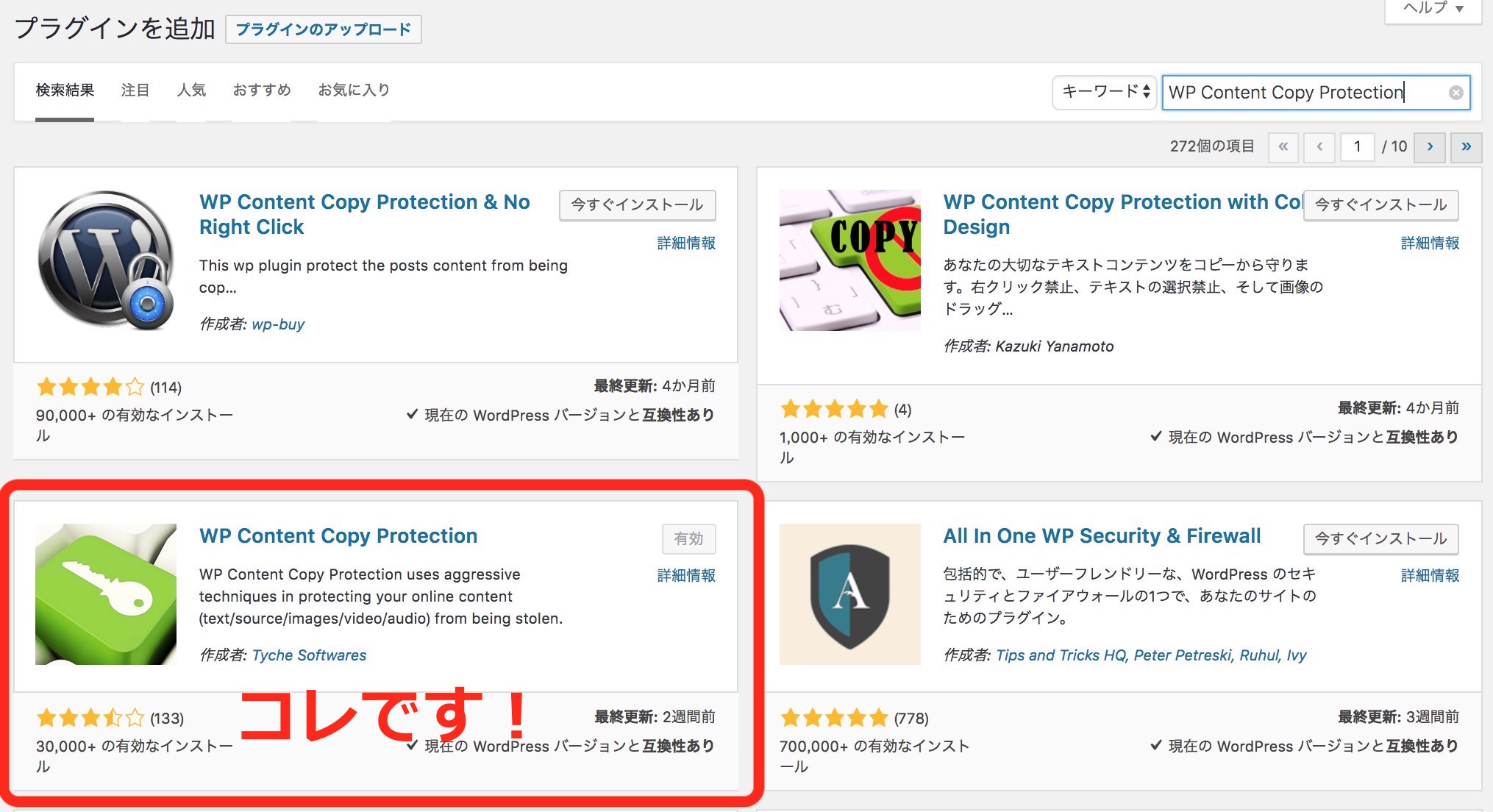
Reasons for choosing WP Content Copy Protection
As for why I chose this plugin “WP Content Copy Protection” among the several types, there are the reasons below.
- TYCHE SOFTWARE, a company, operates it.
*It’s not an individually-run plugin - It supports the latest WordPress version
*At installation, the most recent version update *installed 2018/08/15 - Super easy!
*Once you install and press the “Activate” button, the feature was reflected immediately. - It works without problems
*So far there are no bugs.
Summary
How was it?
One caveat: depending on individual factors such as other plugins or the theme you use, it may not function well, or problems may occur on the site itself. Please try it each time at your own responsibility.